
 Unchill Guy Clicker Unblocked
Unchill Guy Clicker is a browser idle game where every click earns points you spend on upgrades. You don’t have to download anything, and you can be playing within seconds. This guide covers the meme it comes from, how the upgrade loop works, a simple method for spending points wisely, and how to avoid losing your progress.
Chill Guy is a digital artwork by American artist Phillip Banks, first posted in October 2023. It shows an anthropomorphic dog in a grey sweater, jeans and red sneakers, smirking with his hands in his pockets. The meme spread widely in 2024, and the character became a shorthand for being unbothered. WikipediaWikipedia
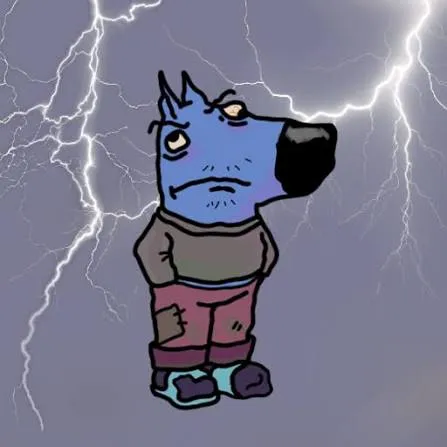
“Unchill” flips that idea. The game’s character is the angry, ragged opposite. Banks drew his own inverted version too, a piece called Unchill Gal, with an opposite color palette and more serious expressions. I found no sign that Banks made or endorsed this browser game, so treat it as a fan-style take on the meme. Wikipedia
It’s a clicker, also called an incremental or idle game. You click to earn points, spend them on upgrades that earn more points, and repeat. Later upgrades usually earn points automatically, so the numbers keep growing even when you’re barely clicking. Reports describe keyboard play with the spacebar as well as mouse clicks. 1games
“Unblocked” usually means the game runs in your browser at an address that filters don’t commonly list. It doesn’t mean you have permission to play. Schools and workplaces set their own rules, and a page that opens at home may be blocked on a managed network. If it’s blocked, that’s the administrator’s call. Don’t use VPNs or proxies to get around it. Play at home, on a personal device, or where it’s allowed.
Names differ between pages and builds, so trust the in-game labels. These are the categories pages report.
| Type | What it generally does |
|---|---|
| Click power | Raises points per click |
| Automatic generation | Machines and factories that earn points without clicking |
| Ascension multiplier | Resets progress in exchange for a permanent boost |
| Skins and weather | Cosmetic changes to the scenery +2 |
Pages disagree on what exactly survives an ascension, so read the game’s own description before you reset.
You don’t need the game’s exact numbers. For any upgrade, work out its payback time: the cost divided by the extra points per second it adds. The shortest payback is usually the best buy right now.
Resetting feels bad, so most people wait too long or do it too early. A reasonable rule is to ascend when your points per minute have clearly flattened out and the multiplier you’d gain is meaningful. If the game shows a preview of the multiplier, use it. After a reset, early upgrades come back quickly, which is why the first few minutes of each run feel fast.
Many browser games keep saves in your browser, though I can’t confirm that for this one. Saves stored that way can disappear if you clear site data, use a private window, or switch browsers or devices.
| Problem | Try this |
|---|---|
| Won’t load | Refresh, try another browser, pause extensions that block scripts |
| Clicks not registering | Click inside the game area first, close other tabs, avoid zoomed-out pages |
| Laggy | Close other tabs and apps, plug in a laptop, try another browser |
| Spacebar scrolls the page | Click the game first so it takes keyboard focus |
| Progress missing | Check you’re in the same browser and not in private mode |
Idle games reward checking in often, so a numbers-go-up loop can eat more time than you plan. Set a timer before you start.
A browser idle clicker where you click an angry character to earn points and buy upgrades. It’s a take on the Chill Guy meme.
It should be free and download-free. If a page asks you to install something, close it.
It runs in a browser, but whether the page opens depends on your network’s filters. Follow your school’s rules.
It resets your progress in exchange for a multiplier. Pages disagree on exactly what carries over, so read the in-game description.
Saves in browser-based games can disappear if you clear site data, use private mode, or switch browsers.











