
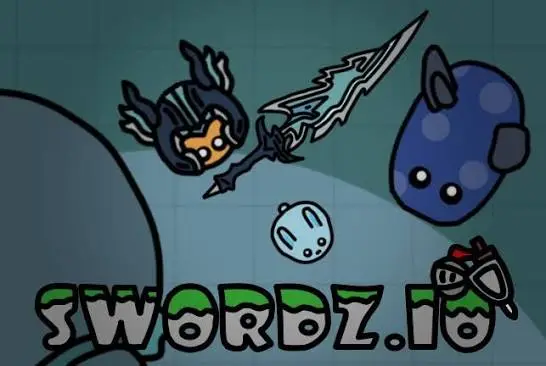
 Swordz io
Swordz.io is a free browser game where you steer a small fighter around a crowded arena, swing a sword, and grow by taking down monsters and other players. It has been around since 2018, and the developer is still shipping updates. The official site’s latest listed update is dated July 12, 2026.
It’s an .io-style survival game. You join a live server with other players, collect food, fight, and level up. Higher levels give you a bigger character, a longer sword, and a new title. The official patch history mentions titles all the way up to Level 35 (Frost Lord).
Some of the tiers have names like Lord of the Dragon, The Slime Warrior and Frost Lord. They give you something to chase beyond a high score.
The official game uses the mouse, and the on-screen buttons show Attack, Dash and Chat. Based on the official page and one competitor:
:grin: triggers big emojis, according to an older patch note.One other site lists WASD or arrow keys. If keyboard movement doesn’t work for you, that’s likely why. Try the mouse first.
You grow by collecting food and defeating monsters and other players. As you level up, your character gets bigger and your sword gets longer, per past patch notes. Monsters drop food and, per a recent update, coins.
Past patch notes say higher levels move slower. Balance changes have gone back and forth over the years, so watch how fast you move at each stage rather than relying on a fixed rule.
The server list shows two rule sets:
| Food mode | PVP mode | |
|---|---|---|
| Official description | Higher level kills lower level | You can kill any player |
| What it means | Strength decides most fights | Anyone can hit anyone, so a small player can still land a lucky kill |
| Good for | Learning safely, steady leveling | Aggressive, riskier play |
Past patch notes mention that in PVP, dying costs you part of your score rather than all of it (one note says 30%). That is from an older update, so check in-game before you rely on it.
Recommendation: start in Food mode to learn the controls without being one-shotted, then try PVP once you’re comfortable.
The game offers North America, Europe and Asia servers. If you’re in the US, pick North America for the lowest ping and the smoothest swings.
The world selector currently lists Wilderness, Snowland, Balloon and Classic. Each has its own look and, over time, its own creatures. Wilderness is a reasonable default. Try the others for variety.
You can play without signing in, but an account unlocks more:
Cosmetics are visual. Nothing in the sources suggests they make you stronger.
These tips come from the stated rules, not from lab testing. Treat them as sensible starting points.
Mobile support has improved over the years. The official site now offers an install option (add to home screen) for phones, tablets and computers, announced in a July update. Some third-party sites still label the game desktop-only, so the official site is the better bet on mobile.
The official changelog says hack scripts have appeared in the game, were disabled, and that players using hacks can be banned. It also tells players not to install external scripts. Good habits:
If you enjoy .io survival games, similar picks include Mope.io, Starve.io, Hexanaut.io and Brutal.io. All four appeared on one of the pages I reviewed.
Yes, it’s a free browser game. Coins are earned in game and spent on cosmetics.
Move with the mouse, left click to attack, right click to dash. One site lists WASD, but the official game appears mouse-based.
In Food mode, higher-level players can kill lower-level ones. In PVP, anyone can kill anyone.
No, but an account lets you appear on daily, weekly and monthly leaderboards and collect the sign-up coin bonus.
The official site supports mobile and offers an install option, though some third-party pages say desktop only.











