
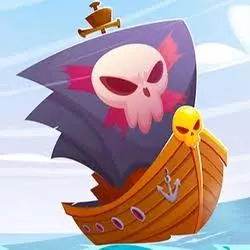
Ships 3D icon

Ships 3D

Ships 3D

Ships 3D Unblocked

If you're looking for a fast-paced, browser-based naval combat game you can jump into during a study hall, a work break, or a lazy afternoon at home, Ships 3D has probably already crossed your radar. It's one of the more popular ".io"-style multiplayer games right now, and thanks to its browser-based nature, it's a favorite pick for anyone searching for "unblocked" games to play on school or office networks. In this guide, we'll break down what Ships 3D actually is, how to play it unblocked, and a few tips to help you dominate the open seas.

What Is Ships 3D?

Ships 3D is an online multiplayer naval warfare game where you take command of a warship and battle other players across a massive open sea. Instead of modern weaponry, the game leans into a classic pirate-battle aesthetic — think wooden ships, giant cannons, billowing sails, and chaotic ship-to-ship combat. Matches can host up to 20 players at once, and you can team up with friends by inviting them aboard your ship using a unique code.

What sets Ships 3D apart from simpler browser games is its attention to sailing mechanics. Your ship's speed isn't fixed — it changes based on wind direction and how well you trim your sails. That means positioning and timing matter just as much as your aim, giving the game a surprisingly deep skill ceiling for something you can play instantly in a browser tab.

Why People Search for "Ships 3D Unblocked"

Many schools, colleges, and workplaces restrict access to gaming sites through network filters. Because Ships 3D is genuinely fun to sneak into a short break, "Ships 3D unblocked" has become a common search term for players trying to access the game from restricted networks. Since the game runs on HTML5 and loads directly in a browser, unblocked versions are typically hosted on alternative domains or game hub sites that aren't caught by school or office filters — letting you play without installing anything.

How to Play Ships 3D Unblocked

Getting into a match takes just a few steps:

  1. Find an unblocked hosting site. Several game hub websites mirror Ships 3D specifically so it can be played on restricted networks.
  2. Open the game in your browser. No downloads, installs, or sign-ups are required — it runs as a browser-based HTML5 game.
  3. Jump into a match. You'll spawn on the open sea aboard your ship, ready to sail, aim, and fire.
  4. Invite friends (optional). Use your ship's unique code to bring friends aboard for coordinated multiplayer battles.

Because it's browser-based, Ships 3D works across devices — desktops, laptops, Chromebooks, and even mobile phones and tablets — as long as you have a stable internet connection.

Basic Controls

While exact key bindings can vary slightly by version, the general controls are:

  • Steering: Move your ship using directional keys or WASD.
  • Sails: Adjust your sails to control speed based on wind direction.
  • Cannons: Aim and fire at nearby enemy ships.
  • Interact key (commonly F): Take control of the helm, sails, or cannons when standing near them.

Tips to Win More Battles

  • Sail in curves, not straight lines. Predictable straight-line movement makes you an easy target. Gentle curves make you harder to hit.
  • Aim where they're going, not where they are. Good cannon hits come from anticipating enemy movement, not reacting to it.
  • Use the wind to your advantage. Position your sails to maximize speed when you need to close distance or make a fast escape.
  • Don't panic when damaged. Retreat to open water, reset your position, and re-engage from a better angle instead of fighting head-on.
  • Team up. Coordinating with friends on the same ship (one steering, one on cannons) can outperform solo players in chaotic multiplayer battles.

Is Ships 3D Free to Play?

Yes. Ships 3D is free to play directly in the browser with no purchase required to start playing. Some versions include optional upgrades using in-game currency earned through battles, which can be used to improve your cannons and ship performance.

Frequently Asked Questions

Is Ships 3D unblocked safe to play at school or work? +

Ships 3D itself is a standard browser-based HTML5 game with no downloads required. That said, network usage policies vary by school or workplace, so it's worth checking your institution's rules around gaming during school or work hours before playing.

Do I need to download anything to play Ships 3D? +

No. Ships 3D runs entirely in your web browser. There's nothing to install on desktop, and mobile players can typically play through the browser as well, though some app store versions exist for Android and iOS.

How many players can be in one match? +

Ships 3D matches can support up to 20 players at once, making for large-scale, chaotic naval battles.

Can I play Ships 3D with friends? +

Yes. You can invite friends aboard your ship using a unique invite code, allowing you to team up and coordinate steering, sailing, and cannon fire together.

What devices does Ships 3D work on? +

Since it's a browser-based game, Ships 3D works on desktops, laptops, Chromebooks, tablets, and mobile phones, as long as your browser supports HTML5 games.

More Games











