
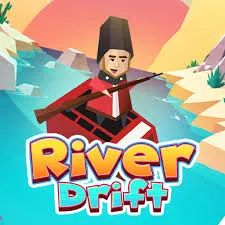
 River Drift
River Drift is a one-button boat game with a very small rulebook: don’t hit anything. Despite that, runs end fast, usually because of how steering works rather than how fast things are coming. This guide explains the control scheme, gives you a repeatable technique for tapping, and shows how to play from a safe page if you’re searching for an “unblocked” version.
The name is shared by more than one game, so it’s worth checking before you go further.
| Game | What it is |
|---|---|
| River Drift (browser) | The quick endless boat game this guide covers: tap to steer, dodge rocks and crocodiles. |
| River Drift (Steam) | An unrelated co-op rafting game with a separate developer and a very different style. |
| Similar tap-to-turn boat games | Mobile titles such as Ketchapp’s Magic River use the same basic idea but are different games. |
Different sites may also describe River Drift in slightly different ways. This guide follows the version described by most pages: one tap changes direction.
You don’t steer left and right with separate buttons. You tap anywhere, and the boat switches to the other side. If it’s angling right, your next tap sends it left, and so on.
That’s why the game is more about rhythm than speed. Your boat is always turning one way or the other. You’re deciding when to reverse it.
If the version you’re using behaves differently (for example, it responds to held input), the first few seconds will make that obvious. Adjust to whatever the boat does.
Two things trip up new players:
Most crashes come from panic taps or from tapping too slowly to follow the river’s curves.
Think in two modes:
Then add three habits:
Look past your boat. Your eyes should sit slightly up the river, roughly where the boat will be in a second or two.
Some versions let you pick up gems and spend them on new characters or looks. Treat these as a bonus, not the main goal. Chasing a gem that drags you toward a hazard is the classic way to end a good run. If your version has missions or targets, they work best as side goals once your basic control feels steady.
“Unblocked” doesn’t mean a special edition. It usually means the same game on an address that a network hasn’t filtered. Because anyone can copy a popular title onto a new domain, the site matters more than the label.
If a game is blocked on a school or work network, that’s normally on purpose, and playing may break acceptable-use rules. A good rule is to play on your own time and your own connection.
A quick browser game where you steer a boat down a river with taps, avoiding rocks, crocodiles and other hazards.
Most descriptions say you tap anywhere and the boat switches direction. Your next tap switches it back. If your version feels different, test it for a few seconds.
Usually from panic taps or taps that come too late. Aim for a steady rhythm of small taps in straight sections and hold longer on bends.
Yes, one-tap games suit touch screens, and most browser versions work on mobile.
No. The Steam game is a separate co-op rafting title. This guide covers the browser boat runner.











