
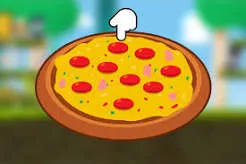
 Pizza Clicker
Pizza Clicker is an idle-style browser game about running a pizza business. You click a pizza to earn, spend what you earn on upgrades, and let the business grow until it largely runs itself. This guide covers how it works, how to spend wisely, how saving works, and what “unblocked” means.
It’s a clicker (or “incremental”) game. There’s no ending to beat and no skill-based combat. The satisfaction comes from watching numbers climb and making smart choices about what to buy.
One version describes clicking a giant pizza with a mouse or touch, then buying upgrades with the money earned. Details differ between versions, so treat this guide as general advice and check your own copy.
Early on, clicking does most of the work. Later, upgrades do.
Use one simple test: which upgrade gives the most extra income for its price?
| If you’re asking... | Do this |
|---|---|
| “Should I keep clicking?” | Click while upgrades are cheap and clicks matter most |
| “Which upgrade first?” | Pick the one that pays back its cost soonest |
| “Should I sell something?” | Usually no. Selling tends to return less than you paid |
| “Should I save up?” | Only if a much better upgrade is close |
These are general idle-game principles, not tested numbers for your version.
Clicker games often add extras. One site describes periodic thieves that steal your pizzas unless you click them or hire protection, as well as rare golden pizzas that give extra rewards. I can’t confirm that your version has these, so test it. If it does: pizza-clicker
Browser games like this commonly save progress in your browser, not on a server. That has practical effects:
To start over, clear the site’s data in your browser’s settings. Do this only if you really want a fresh start, since it usually can’t be undone.
A note on shortcuts: some sites publish console tricks that edit save data. They aren’t needed, can corrupt a save, and skip the part of the game that makes it fun.
“Unblocked” is a search term for copies of a game hosted where a network filter hasn’t blocked them yet. It doesn’t describe a special version.
At home, you can usually play without any workaround.
The game won’t load. Refresh, try another browser, or turn off extensions that block scripts.
My progress is gone. You may be on a different browser or device, or site data was cleared.
Clicks aren’t registering. Click inside the game window first, and check that no overlay or pop-up is covering it.
A browser-based idle game where you click a pizza to earn, then spend on upgrades to grow your pizza business.
Browser versions are generally free to play. Check the page you’re on for ads.
The cheapest upgrade that pays for itself fastest, then keep repeating that logic as prices rise.
Usually in your browser. Clearing site data or switching browsers can lose it.
It depends on the version. Test it by leaving the tab open and then closed.











