
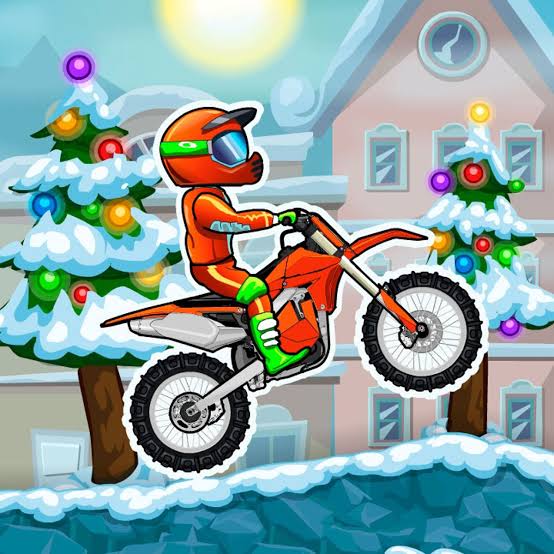
 Moto x3m winter
Moto X3M Winter is a snowy stunt-bike game that runs in your browser. You ride through icy ramps, candy-cane bridges, and explosive traps, and your goal is to cross the finish line as fast as you can without wrecking. It looks cheerful, but it punishes sloppy landings. This guide covers how it plays, how scoring works, and how to get faster.
Moto X3M Winter is the fourth game in the Moto X3M series by Madpuffers. Instead of racing opponents, you race the clock. Each level is a short obstacle course, and trial and error is part of the fun. You’ll crash, restart, and slowly learn the track.
The winter theme gives the tracks a holiday look, with snowmen, Christmas trees, and sweet-treat bridges. The challenge is still the same stunt-and-timing puzzle the series is known for.
| Detail | Info |
|---|---|
| Developer | Madpuffers |
| Series position | Fourth Moto X3M game |
| Levels | 25 winter-themed tracks |
| Goal | Reach the finish as fast as possible |
| Format | Plays in a web browser (HTML5) |
| Release date | Listed as December 2017 on some sites and 2018 on others |
| Action | Keys |
|---|---|
| Accelerate | W or Up Arrow |
| Brake / reverse | S or Down Arrow |
| Tilt and flip | A / D or Left / Right Arrow |
The tilt keys do two jobs. They fine-tune your angle in the air so you land cleanly, and they spin the bike for flips. Pressing left rotates the bike counterclockwise.
The game is browser-based, so it generally works on desktops, laptops, tablets, and phones. Layout and touch controls vary by site, so test the controls on the first level before you commit. On a Chromebook, a keyboard gives you the best control.
Stars come from your finish time, not from collecting items. A faster run earns more stars, and you spend stars on bike upgrades.
The key mechanic is that each front or back flip subtracts 0.5 seconds from your time. That creates a constant choice between a flip that saves time and a risky flip that wrecks the run.
The clock starts when you first press a movement key. Take a second on a new level to look ahead, then commit.
Holding accelerate down the whole level is the most common mistake. Too much gas over-rotates the bike in the air, and too little leaves you short of the landing. Tap and ease off, especially before moving hazards.
Look for long jumps with a clear landing zone. A flip on a short hop rarely pays for the risk, because one crash costs far more than half a second.
Holding gas and brake together for about a second builds a boost. Players use it at the start of a level and at checkpoints to launch off the line.
| What you see | Likely cause | Fix |
|---|---|---|
| Bike spins past the landing | Too much gas in the air | Ease off before takeoff |
| Landing on your head | Rotation timing is off | Start tilting earlier, and stop before you’re upside down |
| Dying at the same trap | Arriving at the wrong speed | Slow down with a brake tap |
| Falling short of platforms | Not enough throttle on approach | Accelerate firmly on the ramp |
| Ruined runs after flips | Flipping with no clear landing | Skip the flip and take the safe line |
Fixing one mistake at a time improves your results faster than random retries.
You spend stars on new rides, and the winter set ends with a Santa-themed sled as the big unlock. Exact star costs may vary, so check the in-game shop rather than relying on guides that quote numbers.
Yes. It’s a browser game you can play without paying, though ad-supported sites may show ads.
Madpuffers, the studio behind the whole Moto X3M series.
25 winter-themed levels.
W or Up to accelerate, S or Down to brake, and A/D or Left/Right to tilt and flip.
Hold accelerate and brake together for about a second to charge a boost before launching.











