
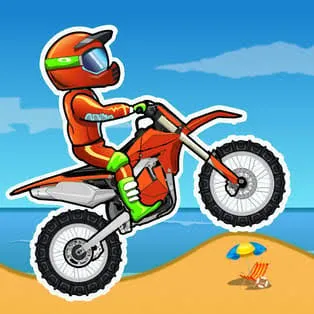
 Moto x3m
Moto X3M is a side-view stunt bike game where every level is a short obstacle course against the clock. You race along ramps, loops and hazards, and the faster you finish, the better your star rating. It’s easy to start and hard to master, which is why it’s a regular on unblocked game lists.
Moto X3M comes from the studio MadPuffers. It began as a Flash game in 2015 and was later rebuilt in HTML5, so it now runs in a normal browser with no plugin.
The original has 25 levels. Each has its own layout and time target, and the physics are forgiving enough to be fun but strict enough that sloppy landings cost you.
Leaning is the real skill. In the air, it controls how your bike rotates. On the ground, it shifts your weight over bumps and slopes.
Checkpoints are scattered through each level. If you crash, you restart from the last one rather than the beginning.
Before you touch down, match your bike’s angle to the slope below. Landing on both wheels keeps your speed. Landing nose-first costs you time or ends the run.
Holding accelerate the whole way is a common beginner mistake. Ease off before big drops and tight sections, then press hard when the ground is clear.
Use your first attempt to scout. Notice where hazards appear, where the big jumps are, and which sections are tricky. Your second run will be much faster.
Think of each checkpoint as a mini-goal. Master one stretch, then the next, instead of trying to perfect the whole level in one go.
Flips look cool, but a failed flip can wreck a run. Only try tricks you can land reliably.
Because the game runs in HTML5, it works on laptops, Chromebooks, tablets and phones. On a touchscreen you use on-screen controls instead of a keyboard. Landscape mode usually gives the best view.
On a Chromebook, keyboard controls work as expected. If the game feels slow, close other tabs first.
“Unblocked” usually means a copy of the game hosted somewhere that network filters don’t list. It isn’t a different version of the game.
Two things to keep in mind:
If you finish the original, the themed sequels Moto X3M Winter, Pool Party and Spooky Land change the scenery and add fresh hazards while keeping the same core gameplay. Start with whichever theme appeals to you.
Yes, the browser version is free.
No. The HTML5 version runs in your browser. Be wary of any site asking for a download.
The original has 25.
Yes, the HTML5 version works on phones and tablets with touch controls.
Finish quickly and cleanly. Avoid crashes, land smoothly and keep your speed through each section.











