
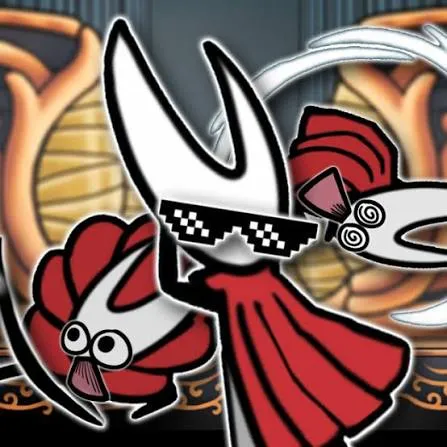
 Horo Nite Solksing
Horo Nite Solksing is a free, browser-based 2D platformer made by a fan as a tribute to Hollow Knight: Silksong. It runs in a browser tab, needs no install, and is built around quick keyboard-driven movement and combat. This page covers how to get it running, the full controls, fixes for common problems, and what “unblocked” really means.
It’s a fangame: an unofficial project made by an independent developer (itch.io user watermaaron) in homage to Team Cherry’s Silksong. The developer states plainly that it is not affiliated with Team Cherry and does not represent the official game.
It’s listed as a prototype, tagged as short, and built in Unity for the web (HTML5). Expect a compact, focused experience, not a full-length adventure.
| Type | Fan-made 2D platformer |
| Plays in | Web browser (HTML5) |
| Made with | Unity |
| Players | Singleplayer |
| Status | Prototype |
| Price | Free |
| Official? | No, unofficial fan project |
| Music | Credited to Gauthier Kieffer |
“Unblocked” is a search term people use when a game site won’t load on a restricted network. The game itself has nothing special that makes it unblockable. Whether it loads depends on the network you’re on.
If a mirror or unblocked page says it’s the game, treat it with care. The original, developer-maintained version lives on itch.io, and that is the safest place to play.
A keyboard is the best way to play, so a phone or tablet is likely to be a poor fit.
The game uses the keyboard. Here are the bindings, grouped by what they do:
| Action type | Key | What it does |
|---|---|---|
| Movement | Arrow keys | Move |
| Z | Jump (also confirms in menus) | |
| C | Dash | |
| Combat | X | Attack (also cancels in menus) |
| S | Special attack | |
| D | Use tool | |
| A | Heal | |
| Menus | I | Inventory |
| P | Pause |
First-run tip: Z and X double as confirm and cancel in menus, and Esc isn’t used for cancel because it clashes with itch.io’s fullscreen controls. If you instinctively hit Esc to back out of a menu, use X instead.
Browser-hosted Unity games can be demanding. Close other heavy tabs and apps, try a different browser, and turn off fullscreen if performance drops. Players on the game’s community page have reported mixed browser performance, so it isn’t only you.
Click once inside the game window so it has keyboard focus. The developer also notes that some USB add-ons, such as drawing tablets, can interfere with controls, so try unplugging them.
Gamepad support is listed with a “may not work” warning. If your controller isn’t recognized, switch to the keyboard. Mouse support was attempted in a patch but, according to the developer, didn’t work in the browser version.
It’s a free, fan-made 2D platformer inspired by Hollow Knight: Silksong, playable in a web browser.
No. It’s an unofficial fan project, and the developer says it isn’t affiliated with Team Cherry.
Arrow keys to move, Z to jump, X to attack, C to dash, A to heal, S for special attack, D for tools, I for inventory, and P to pause.
Gamepad support carries a “may not work” note, and mouse support didn’t work in the browser version. The keyboard is the reliable option.
Unity web games can be demanding on browsers. Closing other tabs, switching browsers, or leaving fullscreen can help.











